
Messenger: Text Messages, SMS
aMessage studioCommunication
4.45.90K Reviews
- Version
- 2.1.2
- Installs
- 10.00M
- Age Rating
- Everyone
Screenshots
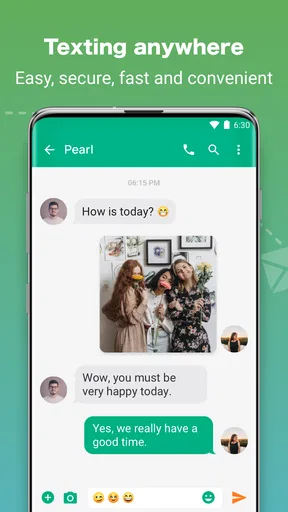
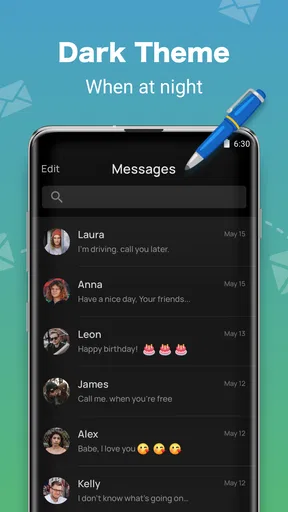
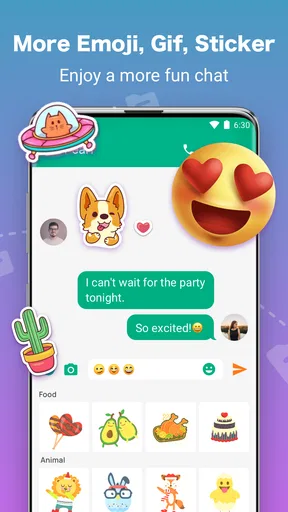
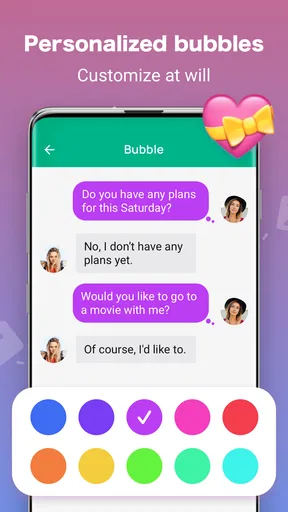

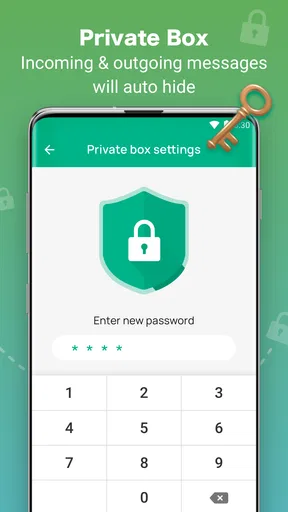
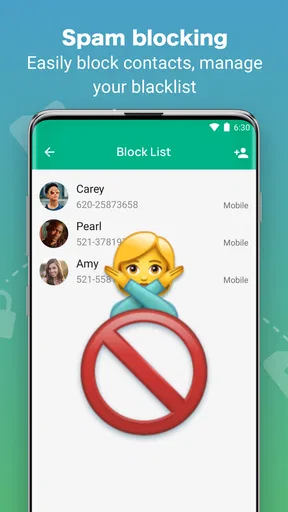
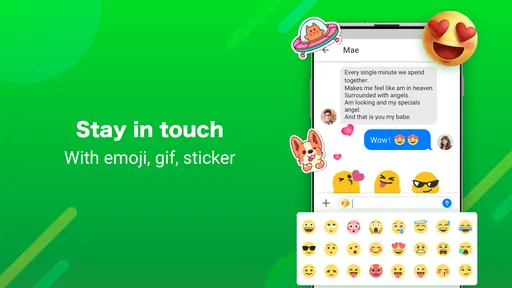
Our Review of Messenger: Text Messages, SMS
 Analysis by Appyee
I spent time with Messenger: Text Messages, SMS as a straightforward communication app, and my overall impression is clear: it is most appealing when you want a familiar SMS tool that feels less cluttered than many default messaging apps. It is free to install, aimed at everyone, and developed by aMessage studio. Rather than trying to replace every social chat service, it focuses on the everyday job of handling text messages with as little friction as possible.
That focus is both its strongest quality and its main limitation. If your conversations are mainly ordinary SMS and you want a cleaner alternative to the messaging app already on your phone, this app is easy to understand. If you expect a full internet messenger with a large community, elaborate collaboration tools, or a rich media ecosystem, you may find its scope narrow. I would recommend it to people who value speed and simplicity, but I would not present it as a universal replacement for every kind of chat.
How Messenger: Text Messages, SMS feels in everyday use
The first thing I noticed is that the app makes sense quickly. Its purpose is immediately apparent: open it, find a conversation, and send a text. That sounds basic, but a communication app benefits from not making routine actions feel like a puzzle. For someone who sends short updates, appointment reminders, family messages, or quick questions, the uncomplicated approach is useful.
In practical terms, I see it fitting best into the small gaps of a normal day. Imagine leaving work and messaging a family member that you are on the way home. You do not need a separate social profile, a new contact network, or a complicated conversation setup. You open the app, choose the person, write the message, and move on. That directness is where the app earns its place.
The listing describes it as a messenger for SMS, and that distinction matters. SMS is not the same thing as an internet-based service such as WhatsApp, Signal, or Facebook Messenger. Those platforms are built around accounts, data connections, and their own user networks. This app belongs to the more traditional text-message workflow, so its usefulness depends heavily on what you want from messaging and how your contacts communicate.
I also appreciate that the app is not positioned as an intimidating specialist tool. The age rating is Everyone, which matches the simple nature of the product. A person who is uncomfortable with complicated communication platforms should be able to understand the basic flow without spending much time learning it. That makes it a reasonable option for users who want fewer distractions around their messages.
A cleaner routine for ordinary texting
The most convincing reason to try it is not a dramatic feature; it is the possibility of making routine texting feel more deliberate. When an app is dedicated to messages, it is easier to think of it as a practical inbox rather than another social feed. I found that useful when I wanted to deal with conversations quickly instead of being pulled into unrelated content.
There is also a small but important difference between choosing a dedicated SMS app and relying on whichever communication tool your friends happen to prefer. SMS remains useful for contacts who do not share the same third-party messenger, for short logistical notes, and for situations where a simple text is enough. Messenger: Text Messages, SMS gives that use case a focused home.
That said, I would avoid assuming that “simple” means “better for everyone.” A minimalist SMS tool can feel refreshing if your current app is crowded, but it can feel limited if you want the richer conversation features associated with modern internet messaging. The right choice depends on whether you see texting as a basic utility or as a complete communication environment.
Where it stands among familiar alternatives
Compared with a phone’s built-in messaging app, the main question is whether this interface and workflow suit you better. Default apps often have the advantage of being already installed and deeply familiar. Moving to another SMS application creates a small adjustment period, so there needs to be a practical reason to switch. For me, the reason would be a preference for a more focused messaging experience rather than a need for a radically different communication system.
Compared with internet messengers, the trade-off is more obvious. Services such as Signal or WhatsApp are generally chosen for their account-based conversations, internet delivery, and broader chat features. Messenger: Text Messages, SMS is better suited to someone who wants conventional texting and does not need every conversation tied to the same online platform. An internet messenger is the stronger choice when your friends, family, or work group already live inside that service.
Compared with social-network messaging, this app feels less distracting by design. It does not need to compete with timelines, public posts, or other social activity to justify opening it. That can be a genuine advantage for anyone who wants to send a message and close the app. The trade-off is that it will not provide the same social context or community features that make social platforms attractive.
Small habits that make the app more useful
One practical habit is to use it as a quick-action inbox rather than allowing every conversation to become a long-running thread. I found it helpful to deal with short logistical exchanges promptly: confirm a meeting, answer a direct question, or send an address. This keeps the app aligned with its strength and prevents me from expecting it to behave like a full collaboration platform.
A second useful approach is to separate communication needs before switching. If most of your contacts use ordinary SMS, the app can become a sensible central place for those conversations. If your contacts are split between several internet services, moving only the SMS part to this app may be more realistic than trying to make it handle everything. That expectation prevents disappointment.
A third point is to consider who will receive your messages, not just how the app looks on your phone. The recipient’s device, carrier, and preferred service still shape the experience of SMS. A clean sender-side interface cannot remove the basic limitations of traditional texting. In other words, the app can simplify your side of the conversation, but it cannot turn every SMS exchange into a modern internet chat.
What the current release tells me
The current version is 2.1.2, and the app supports Android 6.0 or later. That broad operating-system reach is helpful for people using older compatible phones rather than upgrading frequently. It also makes the app relevant to households with a mixture of newer and older Android devices.
The app has reached over ten million installs, with an average rating of 4.4 from around eighty-four thousand ratings. Those figures suggest that it has found a substantial audience, but I would still treat them as context rather than a guarantee. Messaging preferences are personal: an interface that feels pleasantly simple to one person may seem too restrained to another.
Messenger: Text Messages, SMS is free to download, which makes trying it relatively low-risk. It does include optional in-app purchases ranging from $0.99 to $26.99 per item. I would advise checking what is included before paying for anything and deciding whether the extra value matters to your own texting habits. For a basic SMS user, the free starting point is the important part of the decision.
The meaningful weakness: SMS is still SMS
The biggest limitation is not necessarily a flaw in the interface. It is the nature of the format the app is built around. Traditional SMS does not offer the same kind of unified experience as a dedicated internet messenger. Depending on your expectations, you may miss the richer features, shared online identity, and broader conversation tools found elsewhere.
This matters especially for group communication. If your friends organize events in an internet-based group chat, using an SMS-focused app may leave you outside the place where the conversation naturally happens. You can still send texts, but convenience is not only about the sender’s interface; it is also about whether everyone is using the same communication channel.
There is a similar issue with media-heavy conversations. If your daily chats involve frequent photos, files, voice messages, reactions, or other interactive elements, a specialist internet messenger may be more comfortable. Messenger: Text Messages, SMS makes sense when the message itself is the priority, not when the conversation is expected to function like a multimedia workspace.
I would also be cautious about switching purely because the app sounds faster or simpler. Those qualities are valuable, but they do not automatically outweigh the convenience of a default app that already fits your contacts and habits. Before changing, I would think about whether the current problem is clutter, missing functionality, or simply familiarity. This app addresses the first issue more directly than the others.
Who should use it, and who should skip it?
I think it is a good fit for someone who sends a lot of ordinary texts and wants a focused communication app. It may suit a user who finds a default messaging interface too busy, someone with an older compatible Android phone, or a person who prefers not to depend on one social platform for every conversation. It is also sensible for people who want to test a different SMS workflow without paying upfront.
It can be particularly useful for practical communication: coordinating pickups, checking in with relatives, confirming appointments, or keeping in touch with people who do not use the same internet messenger as you. In those situations, the app’s value comes from reducing the distance between opening the inbox and sending the message.
I would skip it if your communication life is built almost entirely around encrypted internet chats, large group communities, media sharing, or workspaces with advanced collaboration features. In that case, an app designed around those needs is likely to feel more natural. I would also hesitate to recommend switching to someone who is already happy with the phone’s built-in SMS app and has no specific frustration to solve.
For families or less technical users, the simple focus may be reassuring, but I would still help them make the transition carefully. The best messaging app is the one that matches the people they actually contact. A beautifully organized SMS inbox does not help much if their important conversations happen elsewhere.
My verdict after using it
Messenger: Text Messages, SMS succeeds because it understands a modest but real need: some people want texting to remain texting. The app does not need to become a social network or a feature-packed collaboration service to be useful. Its appeal is the direct path from conversation list to message, especially for users who want less noise around everyday communication.
My recommendation is therefore specific rather than universal. Try it if you want a free, focused SMS alternative and your main frustration is a cluttered or inconvenient messaging routine. Keep your expectations grounded if you are looking for a replacement for WhatsApp, Signal, or a group-chat platform. The best reason to choose this app is focused simplicity, not an expectation of unlimited communication features.
With its Everyone rating, support for Android 6.0 and later, and established audience, it is an approachable option to test. The free entry point makes that test easy, while the optional purchases mean I would review the available extras before spending money. Overall, I see it as a practical tool for conventional texting: useful, approachable, and refreshingly narrow, provided that narrowness is exactly what you want.
In the end, I would recommend Messenger: Text Messages, SMS to a friend who says, “I just want a better place for my regular texts.” I would not recommend it to someone asking for a complete online communication hub. That distinction captures the app’s real strength: it does not try to solve every messaging problem, but it can make one common problem feel simpler.
Verdict
Strengths of Messenger: Text Messages, SMS
- Works without mobile data when connected to a cellular network.
- Supports group conversations for coordinating with multiple contacts.
- Delivery and read indicators help track message status.
- Can send photos, videos, contacts, and other attachments.
- Simple interface that is familiar to most smartphone users.
Limitations of Messenger: Text Messages, SMS
- SMS and MMS charges may apply depending on your mobile plan.
- Features vary considerably between Android and iOS devices.
- Messages may be vulnerable if your carrier does not support encryption.
- Spam texts can clutter the inbox and require manual blocking.
- Large media files may be compressed or fail to send through MMS.
Similar Picks in This Category
View All
Google Messages
Google LLC4.6

Gmail
Google LLC4.1

Google Meet
Google LLC4.4

Google Chrome
Google LLC4.1

WhatsApp Messenger
WhatsApp LLC4.6

Carrier Services
Google LLC4.2
Frequently Asked Questions
What is Messenger: Text Messages, SMS, and what can I use it for?
Messenger: Text Messages, SMS is a messaging app designed for sending and receiving traditional SMS and MMS messages on Android devices. After installing it and setting it as the default SMS application, you can manage conversations, send text messages, share pictures or other media, search through chats, and organize your inbox from one interface. It uses your mobile carrier’s messaging service rather than replacing SMS with an internet chat platform.
Does Messenger: Text Messages, SMS require an internet connection?
For standard SMS messages, an internet connection is generally not required because messages are sent through your mobile carrier’s cellular network. MMS messages, such as photos or group media messages, may require mobile data depending on your carrier and plan. An internet connection can still be useful for downloading the app, receiving updates, or accessing certain optional features, so your carrier settings and permissions may affect how reliably messaging works.
Can I use Messenger: Text Messages, SMS as my default messaging app?
Yes, the app is intended to work as a phone’s primary SMS and MMS client, but Android requires you to confirm it as the default messaging application. Once selected, it can handle incoming and outgoing text messages instead of the previous messaging app. You can usually change this setting later through Android’s app or default-app settings if you decide to return to another SMS application.
Does Messenger: Text Messages, SMS support group chats, pictures, and multimedia messages?
The app supports common SMS and MMS functions, allowing users to communicate in individual or group conversations and share multimedia content when carrier support is available. However, the exact experience can depend on your mobile provider, device configuration, messaging plan, and APN settings. Unlike advanced internet messengers, traditional MMS may have file-size limitations and can sometimes be slower or less reliable.
Is Messenger: Text Messages, SMS free to use, and are my messages private?
Downloading and using the app may be free, but sending SMS or MMS messages can still generate charges according to your carrier plan, especially when you do not have unlimited messaging or when sending media. Privacy also depends on the permissions requested, your device security, and carrier infrastructure. Before installing, review the app’s current privacy policy and permissions, and avoid sending highly sensitive information through ordinary SMS.
